
import torch
from diffusers import DiffusionPipeline

# switch to "mps" for apple devices
pipe = DiffusionPipeline.from_pretrained("osanseviero/huggingface2", torch_dtype=torch.bfloat16, device_map="cuda")

prompt = "Astronaut in a jungle, cold color palette, muted colors, detailed, 8k"
image = pipe(prompt).images[0]huggingface2 Dreambooth model trained by osanseviero with Hugging Face Dreambooth Training Space
You run your new concept via diffusers Colab Notebook for Inference. Don't forget to use the concept prompts!
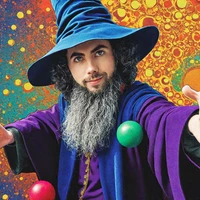
Sample pictures of:
(use that on your prompt)
(use that on your prompt)
(use that on your prompt)
(use that on your prompt)
(use that on your prompt)
(use that on your prompt)
(use that on your prompt)
(use that on your prompt)
(use that on your prompt)
(use that on your prompt)
huggingface emoji (use that on your prompt)











- Downloads last month
- 11