
Buckets:


OpenVINO
🤗 Optimum provides Stable Diffusion pipelines compatible with OpenVINO to perform inference on a variety of Intel processors (see the full list of supported devices).
You'll need to install 🤗 Optimum Intel with the --upgrade-strategy eager option to ensure optimum-intel is using the latest version:
pip install --upgrade-strategy eager optimum["openvino"]
This guide will show you how to use the Stable Diffusion and Stable Diffusion XL (SDXL) pipelines with OpenVINO.
Stable Diffusion
To load and run inference, use the OVStableDiffusionPipeline. If you want to load a PyTorch model and convert it to the OpenVINO format on-the-fly, set export=True:
from optimum.intel import OVStableDiffusionPipeline

model_id = "stable-diffusion-v1-5/stable-diffusion-v1-5"
pipeline = OVStableDiffusionPipeline.from_pretrained(model_id, export=True)
prompt = "sailing ship in storm by Rembrandt"
image = pipeline(prompt).images[0]

# Don't forget to save the exported model
pipeline.save_pretrained("openvino-sd-v1-5")
To further speed-up inference, statically reshape the model. If you change any parameters such as the outputs height or width, you’ll need to statically reshape your model again.
# Define the shapes related to the inputs and desired outputs
batch_size, num_images, height, width = 1, 1, 512, 512

# Statically reshape the model
pipeline.reshape(batch_size, height, width, num_images)
# Compile the model before inference
pipeline.compile()

image = pipeline(
    prompt,
    height=height,
    width=width,
    num_images_per_prompt=num_images,
).images[0]
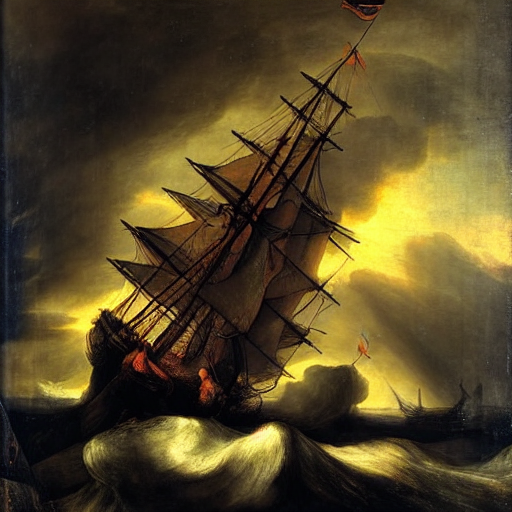
You can find more examples in the 🤗 Optimum documentation, and Stable Diffusion is supported for text-to-image, image-to-image, and inpainting.
Stable Diffusion XL
To load and run inference with SDXL, use the OVStableDiffusionXLPipeline:
from optimum.intel import OVStableDiffusionXLPipeline

model_id = "stabilityai/stable-diffusion-xl-base-1.0"
pipeline = OVStableDiffusionXLPipeline.from_pretrained(model_id)
prompt = "sailing ship in storm by Rembrandt"
image = pipeline(prompt).images[0]
To further speed-up inference, statically reshape the model as shown in the Stable Diffusion section.
You can find more examples in the 🤗 Optimum documentation, and running SDXL in OpenVINO is supported for text-to-image and image-to-image.
Xet Storage Details
- Size:
- 3.08 kB
- Xet hash:
- 70d2d429c773759a690a2835d639f99637f5b0cd9117ae6f78892e6ab61f90a5
Xet efficiently stores files, intelligently splitting them into unique chunks and accelerating uploads and downloads. More info.