
Inkwell
The IDE for writers
Version control, structured changes, and agentic AI skills — the tools that transformed software development, reimagined for screenwriting.
Start writing free
· Plot
· Resources
· Pricing
Built different
Other screenwriting tools digitized the typewriter. Inkwell treats the page as structure — scenes, lines, and revisions you can name — so collaboration and AI stay precise.
That is the company. We build the writing environment that should have existed once generation was good enough to work inside a draft.
Plot — the screenwriter’s IDE
Plot is available now.
Write and revise with automatic screenplay formatting. Import and export Final Draft (FDX), work with Fountain, and hand off a production-ready PDF. Keep history as save points instead of a folder of almost-identical files. Explore the other ending on a draft line. Run a skill pass on dialogue, continuity, coverage, or tone and review it in the scene. Hand a larger brief to Agent Mode. Take the script from first pages through a locked shooting-script handoff without leaving the same writing environment.
Feature, television, shorts, stage, audio drama. Free plan to start. Paid plans from $19/mo.
Start writing free →
Canvas — documents on the same platform
Canvas is in early access for Pro and Team: treatments, series bibles, research, and project docs with the same save points, draft lines, and skills as Plot.
Why Inkwell
Name the moment, not the file. Save points are the draft you meant. Draft lines hold parallel versions. A rewritten line of dialogue shows up as one change.
AI as co-author. Skills are specialists — dialogue, continuity, coverage, tone, economy of language — and they edit in place. Ghost text completes as you type. Agent Mode takes the bigger pass.
One tool, the entire arc. First draft, notes, alt-versions, lock, production. Plot collapses the handoff chain most writers still run across three apps and a shared drive.
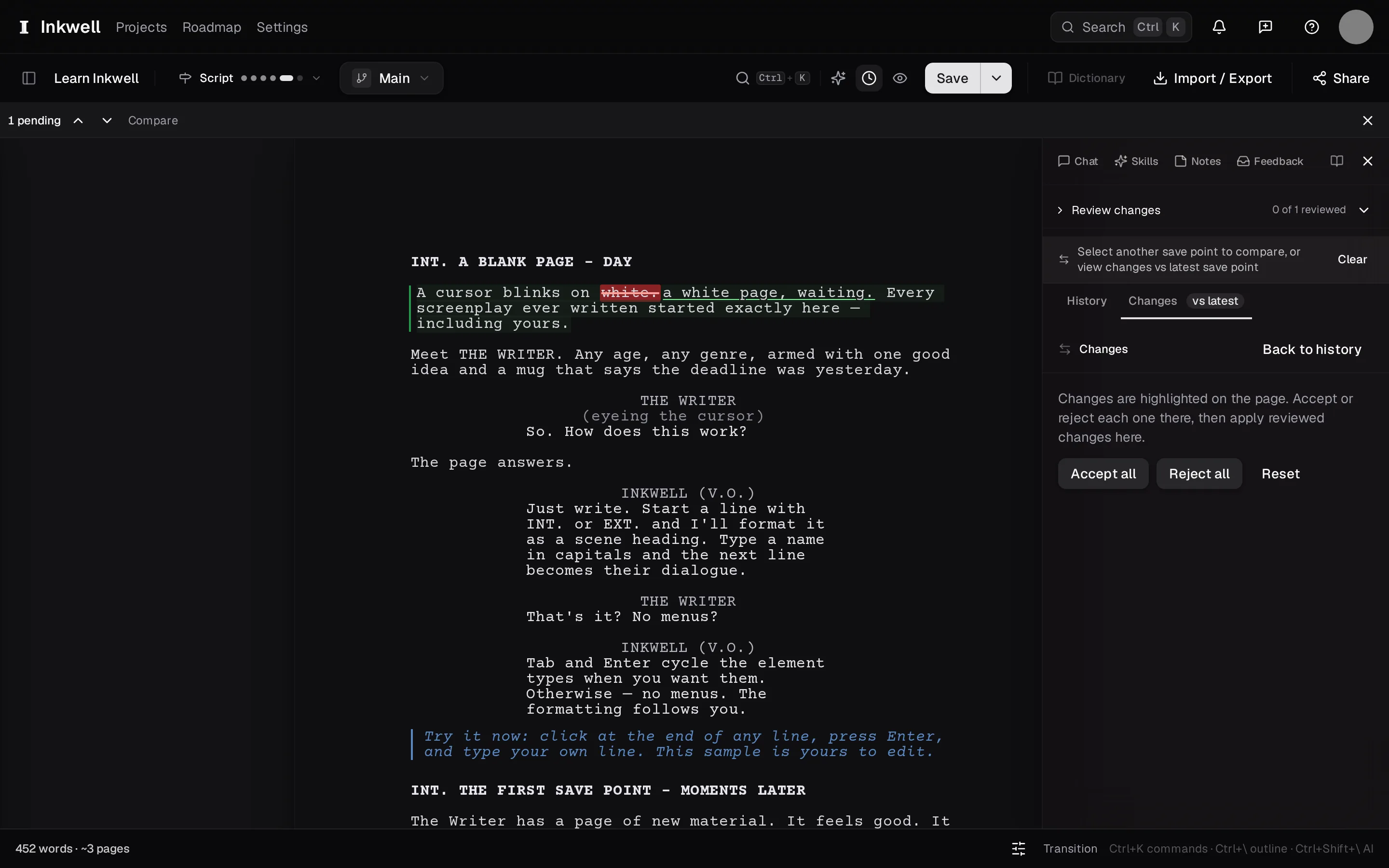
See how to compare drafts in Plot →
Resources for your next draft
Start with the resource library, or go straight to the job in front of you:
Free tools for the script on your desk
Browse the tools or try one now:
Research and exercises
Explore screenplay dialogue, study screenplay pacing, or rearrange a story in the scene-order lab.
On the Hub, explore our dialogue measurements, screenplay format examples, revision evaluation tasks, and screenplay anatomy figures for scene counts, dialogue share and speaking parts by genre. Each dataset card explains its sources, methods, and reuse terms. Try the first three in your browser in the Screenplay Observatory.
Building a screenplay tool? Use the Fountain and FDX interoperability fixtures to reproduce formatting and handoff cases in your own tests.
Open source on GitHub
- screenplay-interop — the Fountain and FDX fixtures behind the dataset above, with a validator and expected results.
- fdx-inspect — a command-line report on an FDX file's scenes, revisions, and locked pages, as text or JSON.
- writing-handbook — workflows and templates for planning, revising, and handing off a draft.
- screenplay-anatomy — reproduce the screenplay anatomy statistics from the aggregate dataset above.
Put AI to work on a draft
Explore writing skills for focused revision passes, such as a dialogue pass, a continuity check, or script coverage, or use the help center to get started with Plot.
Find Inkwell
inkwell.software · App · Plot · Pricing
GitHub · YouTube · X · LinkedIn · Instagram
Fountain structure · FDX anatomy · Revision colors · Screenplay Observatory

