# API Key Configuration Guide
## 1. Large Language Model (LLM)
### Using DeepSeek as an Example
**Official Documentation**: https://api-docs.deepseek.com/zh-cn/
Note: For users outside China, we recommend using large language models such as Gemini, Claude, or ChatGPT for the best experience.
### Configuration Steps
1. **Apply for API Key**
- Visit platform: https://platform.deepseek.com/usage
- Log in and apply for API Key
- ⚠️ **Important**: Save the obtained API Key securely
2. **Configuration Parameters**
- **Model Name**: `deepseek-chat`
- **Base URL**: `https://api.deepseek.com/v1`
- **API Key**: Fill in the Key obtained in the previous step
3. **API Configuration**
- **Web Usage**: Select "Use Custom Model" in the LLM model form, and fill in the model according to the configuration parameters
- **Local Deployment**: In config.toml, locate `[developer.chat_models_config."deepseek-chat"]` and fill in the configuration parameters to make the default configuration accessible from the Web page. Locate `[llm]` and configure model, base_url, and api_key
## 2. Multimodal Large Language Model (VLM)
### 2.1 Using GLM-4.6V
**API Key Management**: https://open.bigmodel.cn/usercenter/proj-mgmt/apikeys
### Configuration Parameters
- **Model Name**: `glm-4.6v`
- **Base URL**: `https://open.bigmodel.cn/api/paas/v4/`
### 2.2 Using Qwen3-VL
**API Key Management**: Go to Alibaba Cloud Bailian Platform to apply for an API Key https://bailian.console.aliyun.com/cn-beijing/?apiKey=1&tab=globalset#/efm/api_key
- **Model Name**: `qwen3-vl-8b-instruct`
- **Base URL**: `https://dashscope.aliyuncs.com/compatible-mode/v1`
- Parameter Configuration: Select "Use Custom Model" in the VLM Model form and fill in the parameters. For local deployment, locate `[vlm]` and configure model, base_url, and api_key. Add the following fields in config.toml as the default Web API configuration:
```
[developer.chat_models_config."qwen3-vl-8b-instruct"]
base_url = "https://dashscope.aliyuncs.com/compatible-mode/v1"
api_key = "YOUR_API_KEY"
timeout = 20.0
temperature = 0.1
max_retries = 2
```
### 2.3 Using Qwen3-Omni
Qwen3-Omni can also be applied for through the Alibaba Cloud Bailian Platform. The specific parameters are as follows, which can be used for automatic labeling music in omni_bgm_label.py
- **Model Name**: `qwen3-omni-flash-2025-12-01`
- **Base URL**: `https://dashscope.aliyuncs.com/compatible-mode/v1`
For more details, please refer to the documentation: https://bailian.console.aliyun.com/cn-beijing/?tab=doc#/doc
Model List: https://help.aliyun.com/zh/model-studio/models
Billing Dashboard: https://billing-cost.console.aliyun.com/home
## 3. Pexels Image and Video Download API Key Configuration
1. Open the Pexels website, register an account, and apply for an API key at https://www.pexels.com/api/
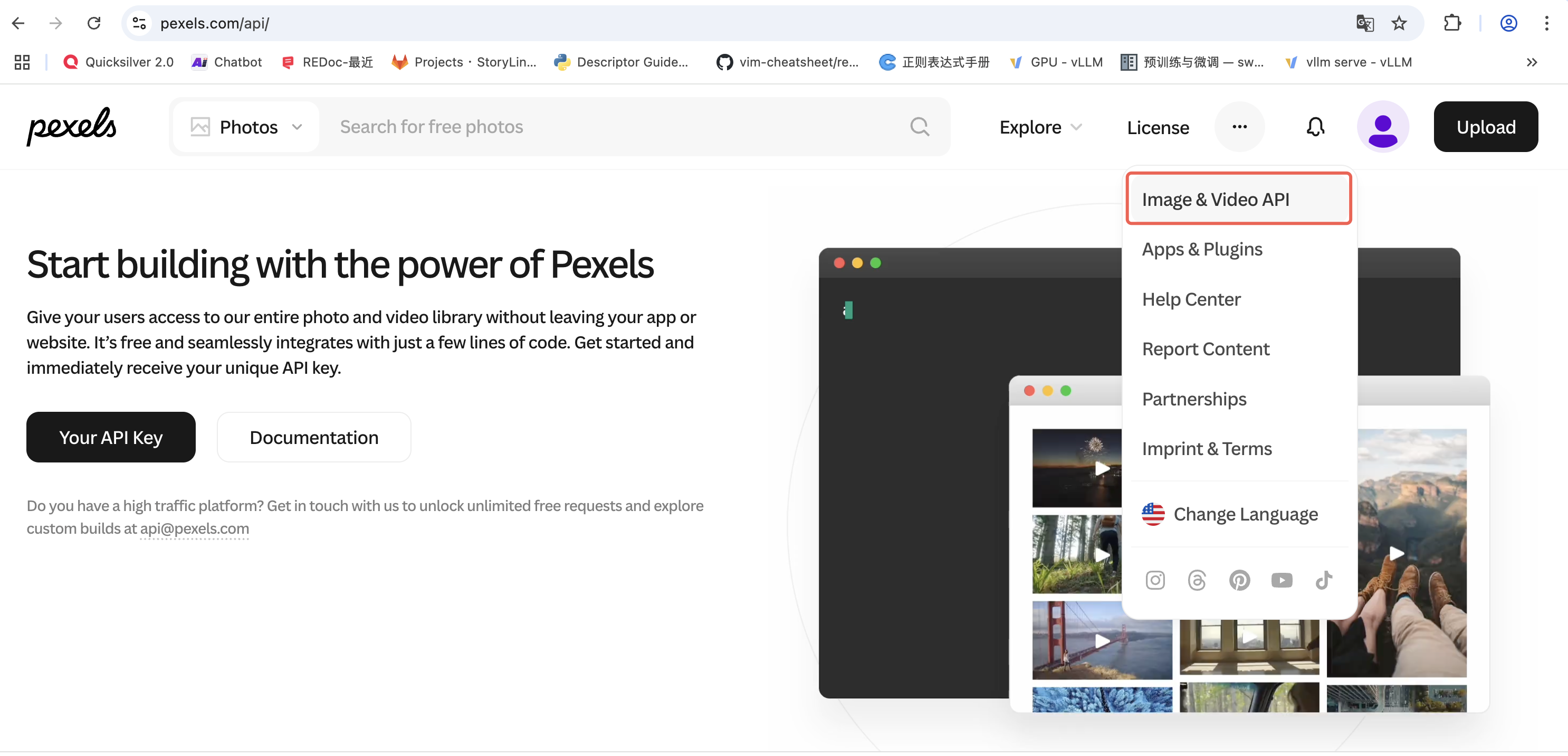
Figure 1: Pexels API Application Page
2. Web Usage: Locate the Pexels configuration, select "Use custom key", and enter your API key in the form.
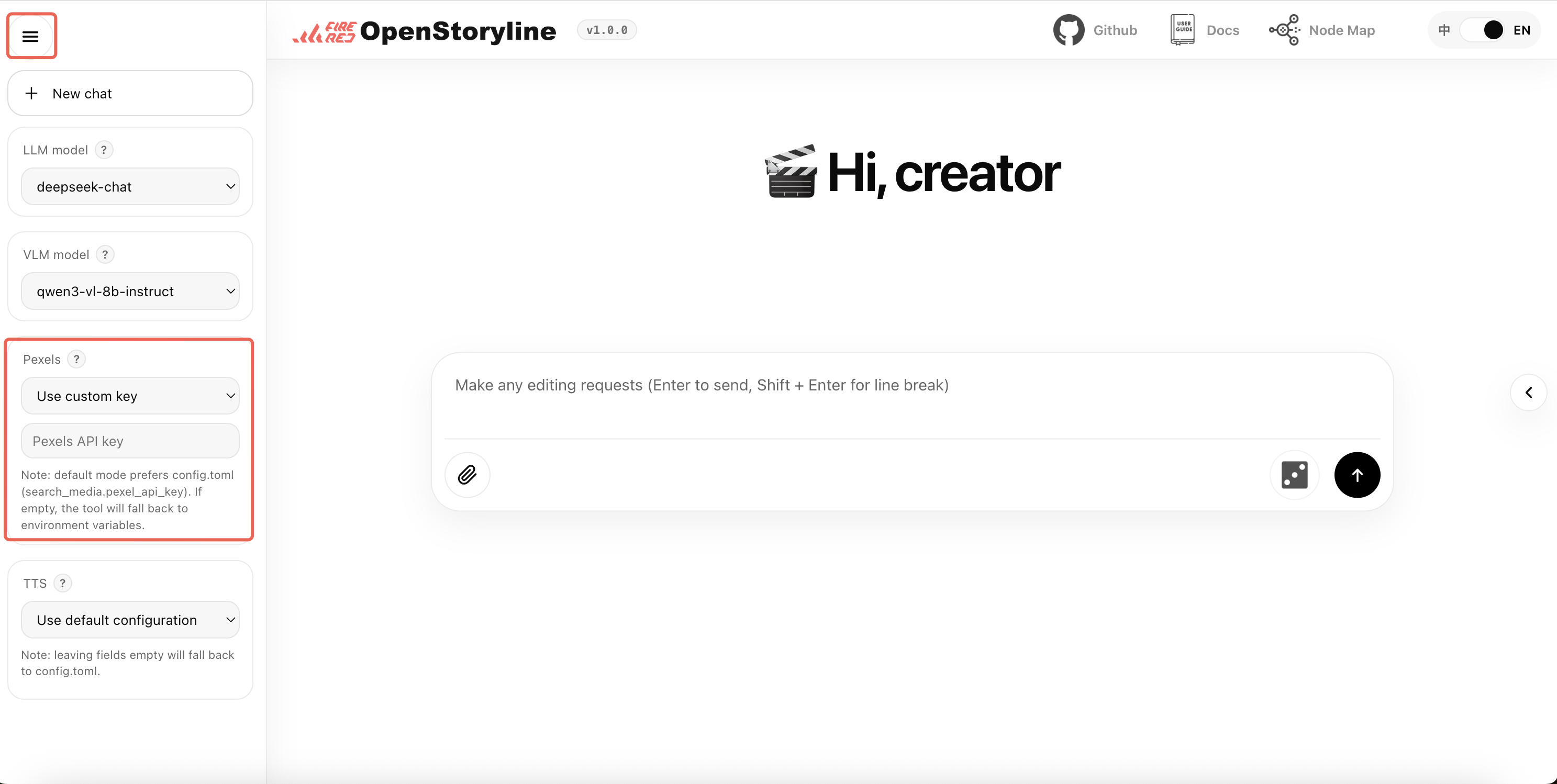
Figure 2: Pexels API Usage
3. Local Deployment: Fill in the API key in the `pexels_api_key` field in the `config.toml` file as the default configuration for the project.
## 4. TTS (Text-to-Speech) Configuration
### Option 1: 302.ai
**Service URL**: https://302.ai/product/detail/302ai-mmaudio-text-to-speech
### Option 2: MiniMax
**Subscription Page**: https://platform.minimax.io/subscribe/audio-subscription
**Configuration Steps**:
1. Create API Key
2. Visit: https://platform.minimax.io/user-center/basic-information/interface-key
3. Obtain and save API Key
### Option 3: Bytedance
1. Step 1: Enable Audio/Video Subtitle Generation Service
Use the legacy page to find the audio/video subtitle generation service:
- Visit: https://console.volcengine.com/speech/service/9?AppID=8782592131
2. Step 2: Obtain Authentication Information
View the account basic information page:
- Visit: https://console.volcengine.com/user/basics/
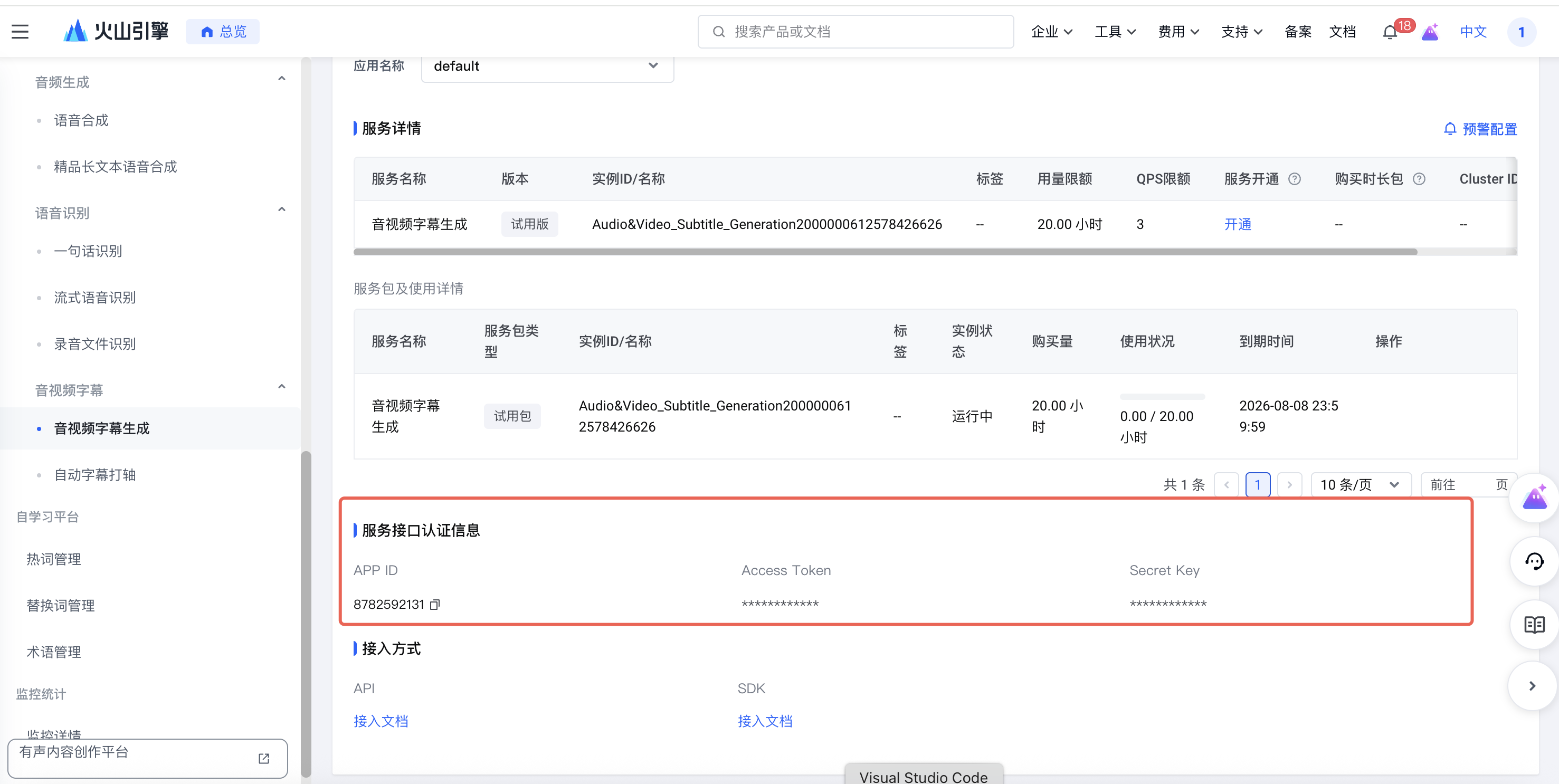
Figure 3: Bytedance TTS API Usage
You need to obtain the following information:
- **UID**: The ID from the main account information
- **APP ID**: The APP ID from the service interface authentication information
- **Access Token**: The Access Token from the service interface authentication information
For local deployment, modify the config.toml file:
```
[generate_voiceover.providers.bytedance]
uid = ""
appid = ""
access_token = ""
```
For detailed documentation, please refer to: https://www.volcengine.com/docs/6561/80909
## Important Notes
- All API Keys must be kept secure to avoid leakage
- Ensure sufficient account balance before use
- Regularly monitor API usage and costs